
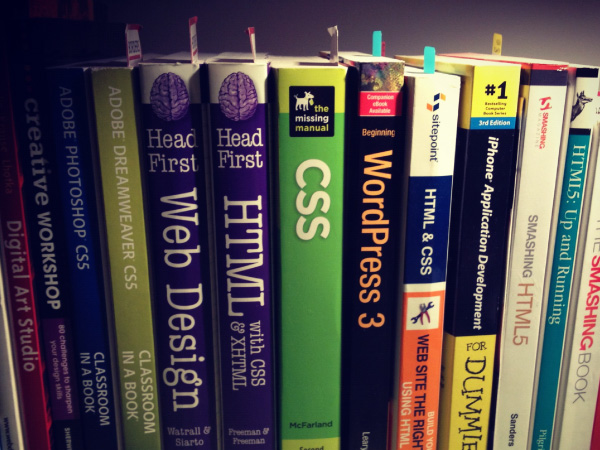
Beginners Toolbox
I received an email from a dear cousin asking for help coding an HTML email newsletter. His letter was pithy, unobtrusive and full of riddles which lead me to believe he probably was in a hurry to leave the office when he wrote it.
Peter Wrote:
“Recently at my job I was given the task of inserting a banner/logo at the top of emails so that every email sent out would have the signature below and the banner at the top. I tried to copy and paste the picture of the banner but when it was sent out, the person who received the email got on attachement instead of the picture they got a file name at the top. Doing some research I learned that I would have to create an HTML email so it does not show up as an attachment. If I want to just have the logo at the top, can you give me some advice as to how to write the code out” ?
I kindly called him over the air waves to clarify a few points regarding having access to the original html files for the newsletter. And to suggest using Mailchimp ( not an endorsement, just a simple way to create email NL for the general public )since he nor anyone of the staff members had any coding experience.
And thus the idea for writing a series based on entry level web design workflows was born. Purely out of necessity to help a family member in need who did not have experience in web design and for the creative profesional who is making the jump from print to web.
Introduction To Web Technologies For Entry Level Creative Folks
At a recent web design meet up, a woman who designs beautifully crafted paper dolls was absolutely new to the idea of creating her own web site or blog. And during our Q/A sessions she shouted at the group in a peaceful and candid tone of voice:
“What is html and how do I create a web site from scratch” ?
And for the most part, the answers she received range between technical advice, online tutorial sites which I will mentioned later on and a few other resources like Smashing Magazine. I however, like to approach this question with a bit more focus and attention to details. I often find the best way to learn a new set of skills which may seem daunting and challenging is to use a combination of optic metaphors with visual aid and sophistication. Especially when explaining technical information in a way that makes the user feel empowered and welcoming.
And if you have been following me on twitter you will by now figure out, I have been thinking about developing the series for some time now:
https://twitter.com/socialconceptdc/status/312079873390804993
This methodology is the same practice I follow when talking with clients about their web design services and needs as an active freelancer for Creative Think Tank DC. An ever evolving design process for realizing the relationship between the web and design. My hope with this post is to point my cousin Peter and the rest of you in the right directional path towards learning a new skill, the right way. And to hopefully avoid the mistakes I made a few years ago when I got started in transitioning my skills in print design to the web.
Web | Design
You need to think about HTML in terms of a set of building blocks that support corresponding technologies on top of each other. Just as you would hire an architect in conjunction with an interior decorator to build your home, apt or condo. HTML & CSS are analogous scripting web languages which complement one another. Your HTML code acts as a blueprint which is followed by the interior decorator in creating CSS or Cascading Style Sheets to adorn or style each page.
Typically you would start off by learning a series of basic tags and understanding how to structure a document properly and later on move into CSS and begin applying layout, positioning and style presentations to those tags inside an HTML editor.
One important consideration is to determine your entry level learning curve and area of interest as creating web content can be quite in-depth. But usually, a basic front end web design workflow will include any aspect of the design process which involves an editor and browser for the creation of:
- Graphic Design & Image Production
- Interface Design
- Information Design
- HTML Newsletter
- Document Presentation Re-Design Strategy
- WordPress & CMS
We will cover the basics of HTML for the purposes of creating newsletters including basic structural tags. Including resources for delving into deeper learning and mastering how to create content as a design to print professional.
A Few Basic Questions To Aks Yourself Before Diving In With Basic HTML Tags:
- What are your web design goals? to become a professional web designer? or to make personal websites only?
- Which aspects of web design interest you the most?
- What current skills do you have that will be useful in creating web pages?
- Which skills you need to brush up on?
- Which hardware and software tools do you already have for web design?
- Which tools do you need to buy?
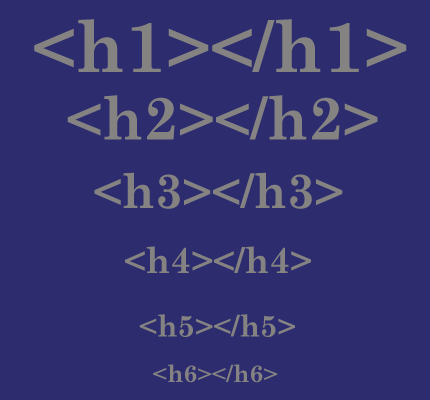
Headings
<hr>
A Horizontal Rule
If you want to indicate that one topic or thought has completed and another one is beginning, you can insert what is called in HTML5 as a “paragraph-level thematic break” using the ( hr ) element. It is used as a logical divider between sections of a page or paragraph of text. The ( hr ) element adds a logical divider between sections or paragraphs of text without introducing a new heading level.
<h3>Times</h3>

<p> Description and history of type</p>

<hr>

<h3>Georgia</h3>

<p>Description and history of the Georgia typeface</p>
Heading Groups
In the past, marking stacks of headings and subheadings was somewhat problematic. For this reason, HTML5 includes the hgroup element for identifying a stack of headings as a group. Browsers that support ( hgroup ) know to count only the highest-ranked heading in the outline and ignore the rest.
<hgroup>
<h1>Creating a simple page</h1>

<h2> (HTML overview)</h2>

</hgroup>
List
- Unordered List: Is a collection of items that appear in no particular order
- Ordered List: Are list in which the sequence of items are important
Description List: List that consist of name and value pairs, including but not limited to
terms and definitions.
- Just about any list of examples, names, components, thoughts or options qualify as unordered list. In fact, most list fall into this category.
</pre>
<ul></ul>

Unordered list

<li></li>

List item within an unordered list

<ul>

<li><a href="">Serif</a></li>

<li><a href=""Sans-serif<a/></li>

</ul>
<pre>
Description List
- Description list are used for any type of name/value pairs, such as terms and their definitions, questions and answers or other types of terms and their associated information. Their structure is a bit different from other two list that we just discussed. The whole description list is marked up as a ( dl ) element.
<dl>

<dt>linotype</dt>

<dd>Line-casting allowed type to be selected, used, then recirculated into the machine automatically</dd>

</dl>
Figures:
<figure></figure>
Contact information
<figcaption></figcaption>
contact information
<figure>
<img src="piechart.png" alt="chart showing fonts on mobile devices">
</figure>
<figure>
<pre><code>
body {
background-color: #000;
color: red;
}
</code></pre>
<figcaption>
Sample CSS rule.
</figcaption>
</figure>
Organizing Page Content:
So far, the elements we’ve covered handle very specific tidbits of content: a paragraph, a heading, a figure and so on. Prior to HTML5, there was no way to group these into larger parts other than wrapping them in a generic division (div) element. HTML5 introduced new elements that give semantic meaning to sections of a typical web page or application including:
<sections>

<articles>

<nav>

<aside>

<header>

<footer>

<hgroup>

<canvas>
Resources | Further Reading
Code Academy

Is a quick and fast track towards learning web technologies for those of you who are in a hurry to get up and running fast. Code Academy has been an invaluable learning tool for new and existing programing skills. I am currently learning Java Script and intro to web design. And as I told my cousin Peter, these days we should all learn programing skills to further develop our creative juices. For me, it has become such a valuable service in honing my skills as a freelancer.
Learnable

Is perhaps one the best premium video tutorials for learning web development. Ideal for those of you who have completed a basic understanding of web mark up and presentation. With a monthly fee, make sure to commit several hours per week towards the development of a new topic in able to get the most out of it. I have used the service in the past to learn PHP & MSQL, including several amazing books on CSS & WordPress.
WordPress Meet Up | NYC

If you are near the Tri-State Area and are new to creating web sites, blogs and want to learn how to built amazing web content from scratch The glorious WordPress meet ups on the third Tuesday of the month is a must for you all. I have been an active member for over a year and have witness my skills as a WP designer shoot up tremendously. My goal moving forward is to learn how to use WordPress as a CMS & in conjunction with Dreamweaver for developing static sites with blog hooks into WP. And I am happy to report amazing progress on this topic. As this is a huge economic assets for Creative Think Tank DC & my private CMS clients.
Lynda.com
Is by far the best and only online video library for learning a new skill from an academic standard point of view. I would not have been able to complete my certificate in web development from NYIT without lynda.com. Each video class is equal to having a professional instructor sitting across from you. And with thousands of courses ranging from business marketing, web design, development and mobile applications you are bound to boost your skills towards entry level profesional web design status.
The price is comparable to most online video learning services with additional class example exercises to follow along as this is the optimal way to learn. If you are a print to web creative looking to take your creations online, I would add a few hours a week to your schedule and start learning today.
Composing HTML Newsletter With MailChimp
I do not think it is necessary to learn how to code a newsletter from scratch due to the multitude of devices in the wild today. It used to be the case years ago when I learned how to create HTML newsletters, you only had to worry about the desktop. Mailchimp is an intuitive way to create beautifully sophisticated newsletters without having to know HTML & CSS. They will handle the back end for you, giving the user plenty of design room to create with ease.
I use Mailchimp for all my newsletter design needs and I love the fact I can create campaigns for several different sites, blogs and services within the same account. If you are using WP as your blogging platform, there is a multitude of plug-ins for adding it to your site right out of the box. At least on a self hosted WP account. If you know of any wp.com solutions for using mailchimp, please let us know in the comments below.
Cascading Style Sheets | The Interior Decorator Has Arrived
Going back to our original metaphor for creating web sites, we have an architect working in conjunction with our designer. And with CSS we can begin adding layout, padding, color, animations to our HTML documents. Cascading style sheets are the wall patterns, drapes and decorative ornaments of your home, in relation to a web page. While learning CSS is out of the scope of this blog post, I will provide valuable sources for getting up and running.
But before you head out and start learning all about absolute positioning, Sass, BootStrap, padding and CSS3. There are just a few details you should begin to think about before you get started. A topic which we have yet to discussed and will be a theme in future blog post relating to the topic.
How are you going to organize your content before mark-up?
A basic approach when creating web sites is to plan your Content, Structure and Style implementation before coding it or modifying a wp theme. I usually organize my content by using pen and paper in conjunction with Evernote. Once I have establish a clear and consistent Calls To Action for the project, I usually begin by coding it using CodeKit or a web authoring tool such as Dreamweaver. It all depends on how the projects needs and specifications from the client.
Resources | Learning CSS
Code.org

has a number of great projects and learning classes on preparing you for learning CSS. Its free and if you are a person like me, driven with a passion for developing your skills as a front end designer for hire. Then, getting up and running with CSS will be a must. And even if all you want to do is simply update the colors, themes, fonts and properties of you CSS themes using WP. You still need to learn this powerful scripting language.
Smashing Magazine

I cannot say enough about the gals and buds behind this magazine. Once you have mastered the basics, the articles, tips, tutorials and ways in how you can manipulate CSS will forever blow your mind. That is, if you are deeply committed to the practice of adorning, presentation and design in modern web sites. The magazine also has a number of print books covering responsive design, mobile first and client centric web design as well.
CSS Tricks
If you are looking for humorous, talented, sophisticated and full of hands on tutorials, tricks, hacks and home-brew CSS learning. Then this site and its creator are the thing for you kids. Chris also has a fantastic podcast called Shop Talk and is such a life saver for me, especially on Tuesday afternoons. The start of my day job as a humble, entertaining and loving Concierge @ a posh, lively and lavish little building. Realizing the importance of having a second income in this economy has been a passion for learning web design. I am thankful.
Next Steps:
Subscribe To Our Newsletter Fan Page:

Your daily source of creative inspiration in art, design, technology and culture. Help spread our grassroots art journal magazine by sharing and telling a friend. We look forward in hearing from you on or Fan Page or in the comments below.
About Creative Think Tank DC
Creative Think Tank DC is an online incubator for creative ideas is Art, Design, Technology & Culture.

 Arts Journal Zine
Leave a comment